Your car's life in detail.
A mileage log that writes itself. A service record that reads its own receipts. A cost forecast for the year ahead. Not three apps. One record of the car.
Free for one car and manual logging. Pro adds the automation. On Android?
Where do you want to start?
Caliper in 36 seconds.
Everything Caliper keeps track of for your car, in one short film.
Sound on.
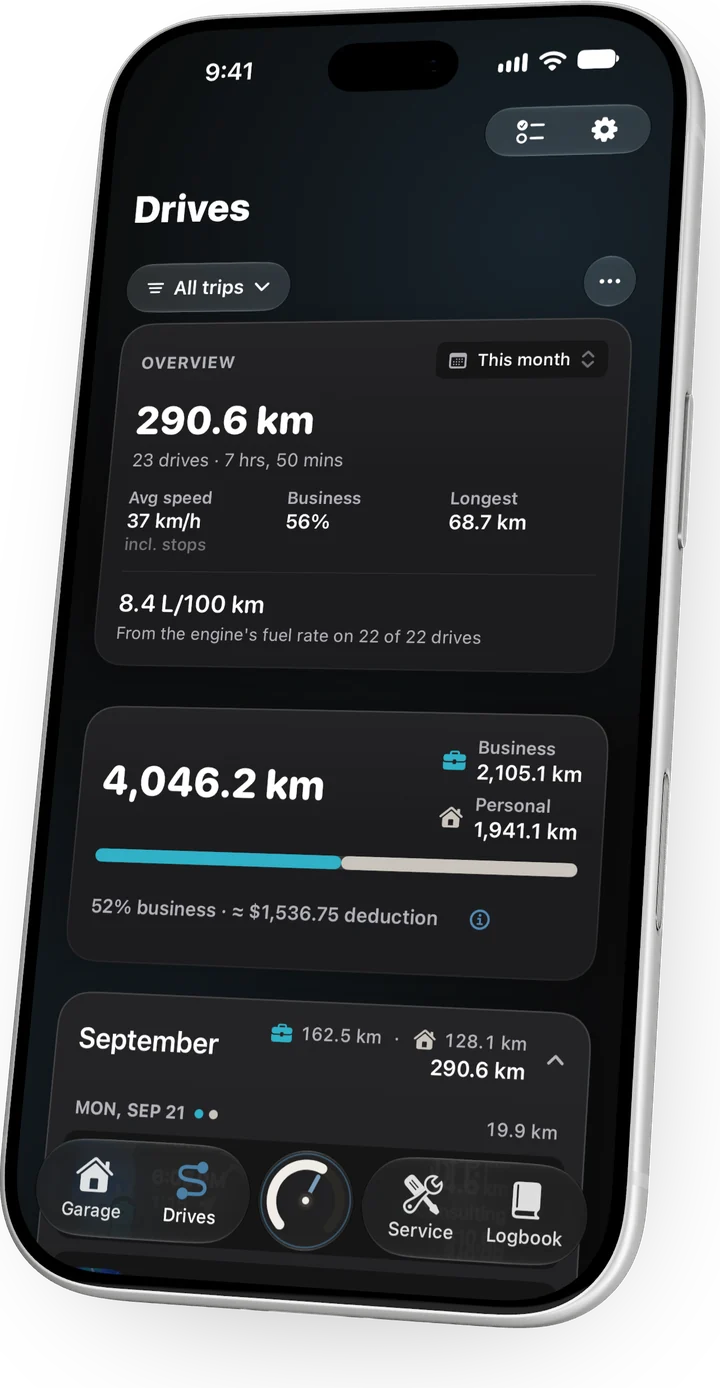
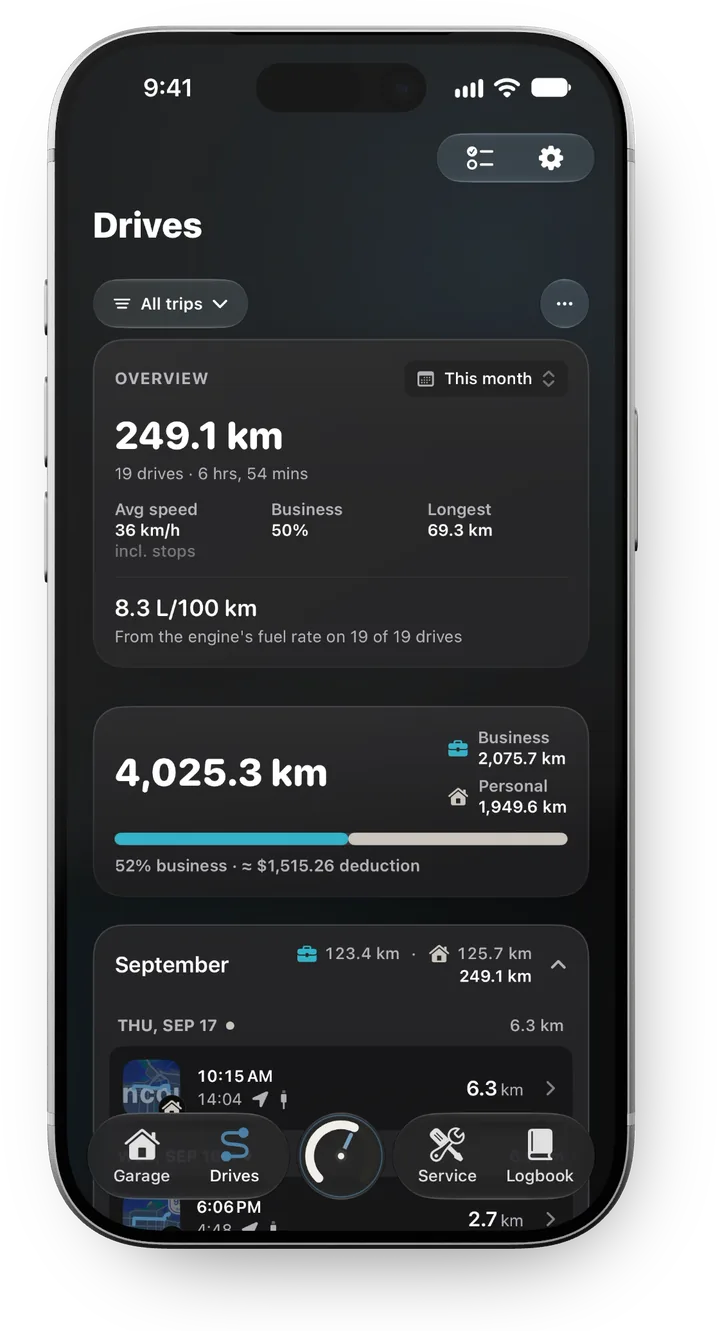
You drive. It keeps the log.
The mileage log that writes itself. It starts when you do: every drive tagged, totalled and filed in a log the CRA or the IRS will accept.
- Riverbend Site → HomePersonal15.6 km
- Acme Ltd → Riverbend SiteBusiness8.1 km
- Home → Acme LtdBusiness12.4 km
2026 · 1,842 business km logged
How it knows you're drivingSix tax authorities, three steps, six signals
Caliper doesn't wait for you to press a button, and it doesn't need your car to talk to your phone. It reads the signals the phone already has, and uses the car's connection to be sure which car it was.
Wake
When you start moving, iOS wakes Caliper in the background, even if you haven't opened it in days. Nothing to launch, nothing to keep running.
Confirm
Motion sensors and speed say whether it's a drive, and not a walk or a bike. Your car's Bluetooth or CarPlay says which car. The trip starts, and ends when you park.
Tag
Swipe a trip business or personal and the year totals itself. Run more than one business and each trip files to the right one.
Six signals, checked against each other
No single sensor is trusted on its own. Each one covers for the others, which is how a trip survives a red light, a tunnel, or a stereo that drops out.
- A stop isn't the end. Caliper waits a minute before closing a trip, so a red light, a drive-through or a wireless dropout doesn't split it in two.
- Someone else driving? Pause tracking for that car. Discard a trip once and Caliper won't try to log it again until the drive ends.
- Tracking schedule. Set the hours automatic tracking runs, so your weekends stay yours. Pro
Watch the drive again.
Open any trip and play it back on the map. The car drives your route again and waits where you waited. Scrub to any moment, speed it up, or let the camera chase the car. Free on every drive with a route.
What the replay showsSpeed, stops, the chase camera, and what Car link adds
- Coloured by speed, or one colour. Blue where you crawled, amber where the road opened up, so the slow parts of a drive stand out at a glance.
- Stops, found for you. Anything over 30 seconds is marked with the street it was on, and a long wait plays in a beat, not in real time.
- Speed at a glance. Average and top speed, and every stop on a timeline, on the trip itself.
- Follow it, or fly it. The camera follows the car north-up, or switch to the chase view and pinch, twist and tilt around it.
- The car's own instrument, with Car link. Speed, revs, gear and throttle ride along with the replay, read from the car four times a second.PRO
- Colour it by the car. RPM, throttle, gear, engine load, fuel economy, or where you coasted on no fuel.PRO
- Jump to the moment. Chips for the top speed and the highest revs take you straight there, and the weather on the day sits beside them.PRO
The replay is free on every trip with a route. The instrument, the colour modes marked Pro, the moment chips and the weather need Pro, and the car's readings need Car link.
A business kilometre you don't logis a deduction you don't claim.
One tap. Your accountant's copy.
Pick the period. Caliper produces a PDF with every trip, its date, distance and purpose, and the business split. In six countries it is laid out to the tax authority's own rules; everywhere else you get the same log in a general format.
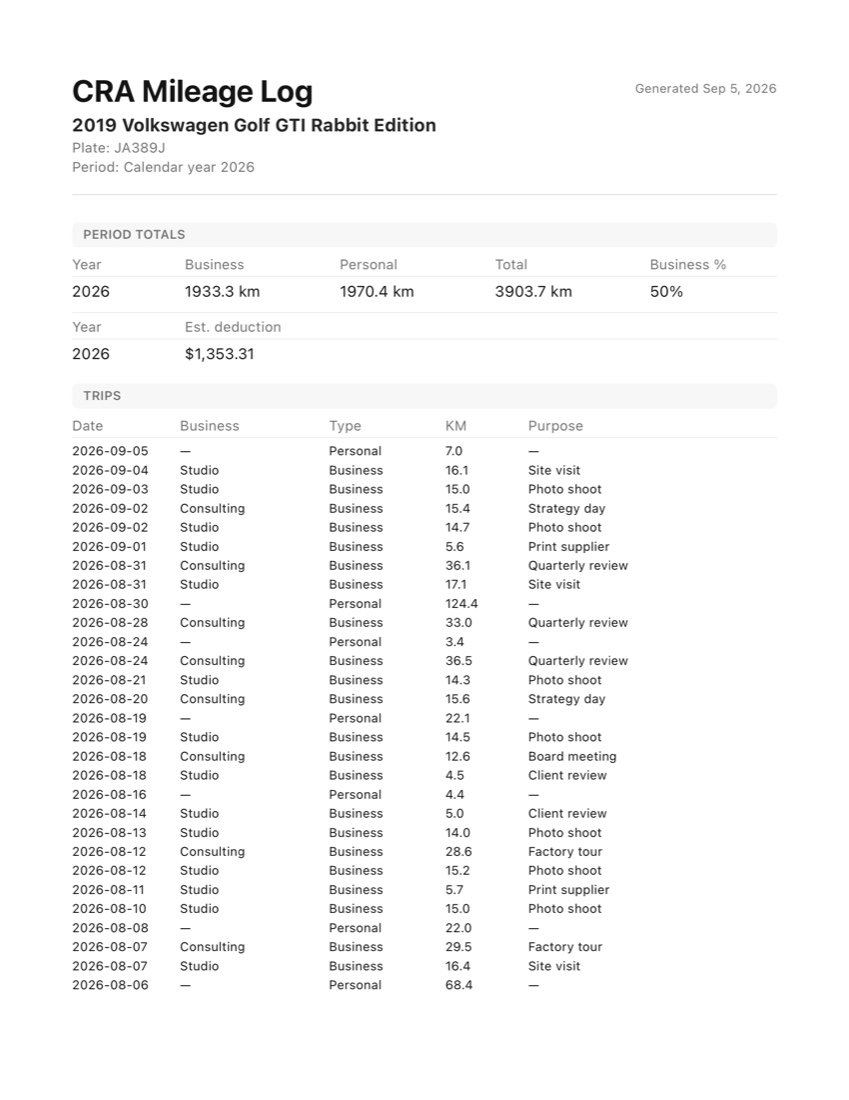
What's in the exportSix authorities, one log per car, nothing hidden
- Six authorities, and everywhere else. CRA, Revenue, IRS, HMRC, ATO and IRD each get their own format. Any other country gets the general log.
- One log per car. Several cars export together, each with its own totals.
- Nothing hidden. Any estimated figure is marked as an estimate on the page.
Look up. It's already recording.
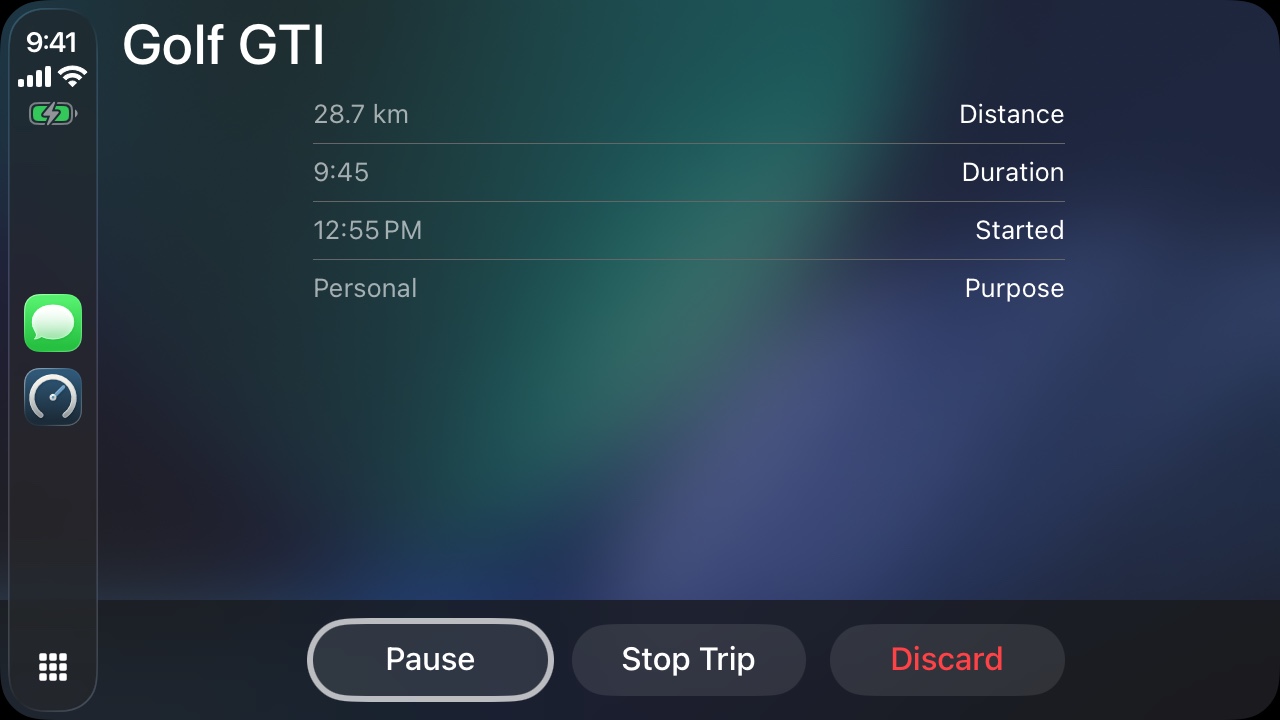
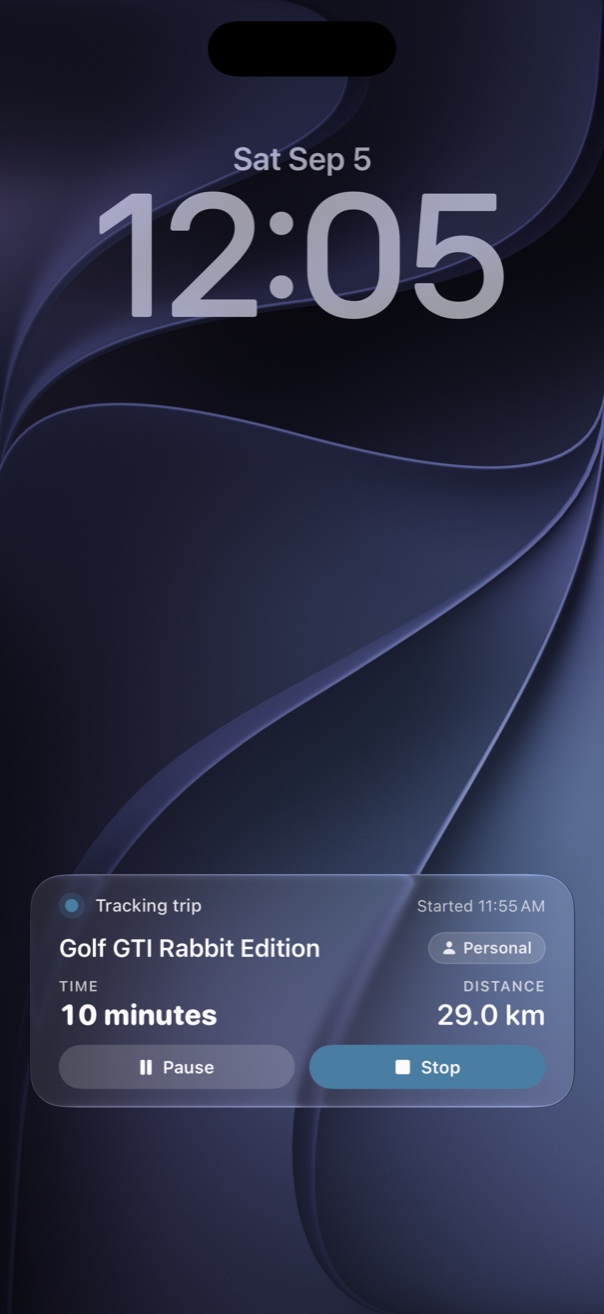
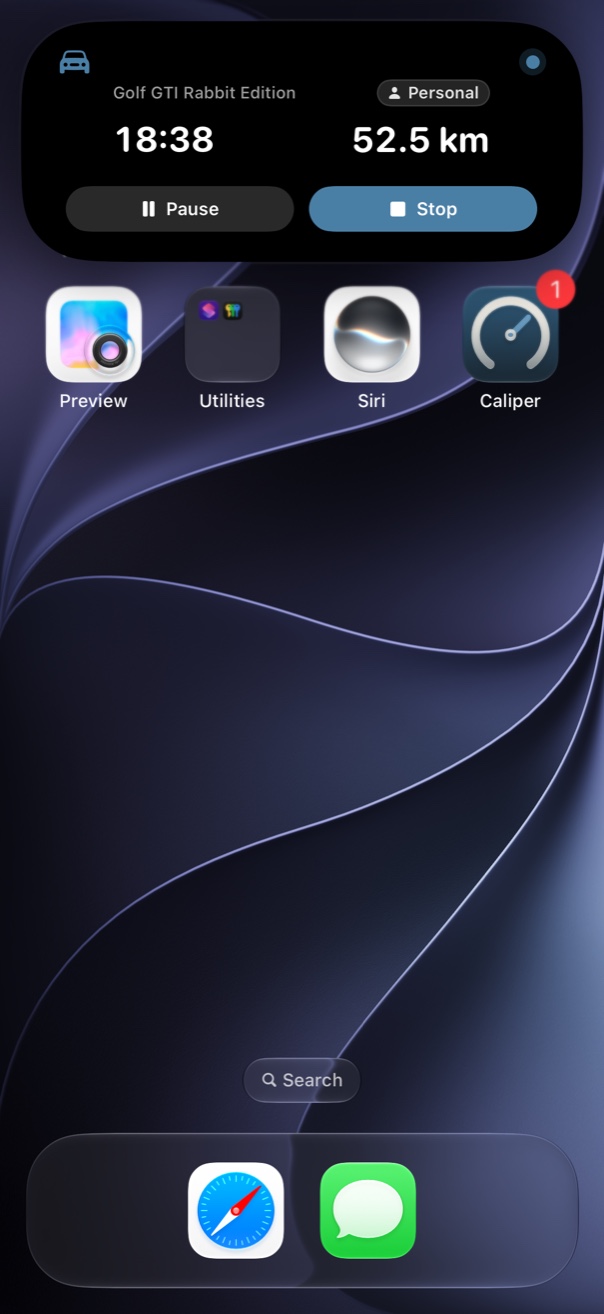
Caliper's CarPlay app shows the live trip on the head unit: which car, how far, how long. Pause it when someone else is driving, or stop it early. Off CarPlay, a Live Activity keeps the trip on your lock screen and in the Dynamic Island.
Snap the receipt. It keeps the history.
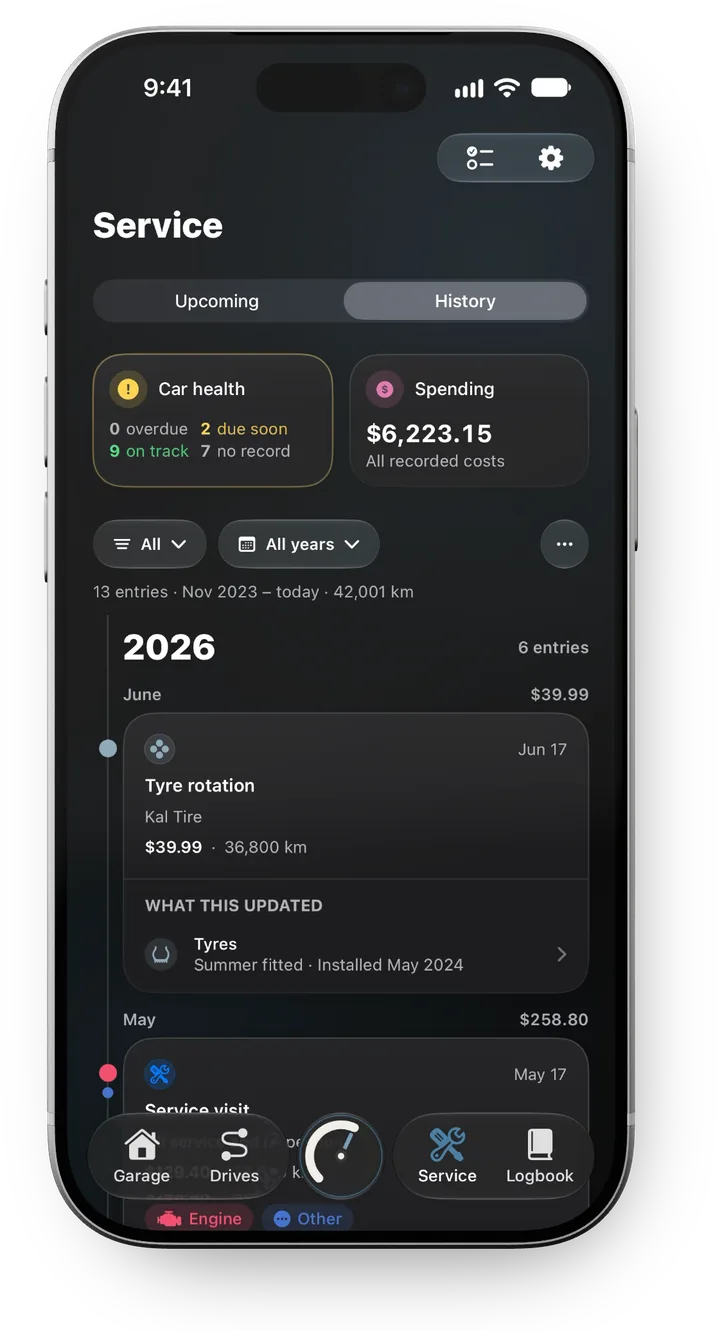
A service record that reads its own receipts. Scan the dealer's invoice or the old service book, and Caliper builds the car's history, then tells you what's due next.
Car Health, reminders and recallsWhat it reads, what's due, what's free
- Receipts in, history out. Each line of an invoice becomes a service entry with its cost, the shop, the date and the odometer. Caliper asks only where it's unsure.
- Every job, one timeline. Oil, brakes, tyres, filters and fluids across thirteen categories, back to the day you bought it. Or one thread per category: every brake job, every tyre.
- What's due, before it's due. Car Health puts oil, tyres and brakes in one view, sorted by what needs you first, with reminders by date or by distance.
The service log, the history and Car Health are free. Reading receipts, and reminders that follow how much you drive, are Pro.
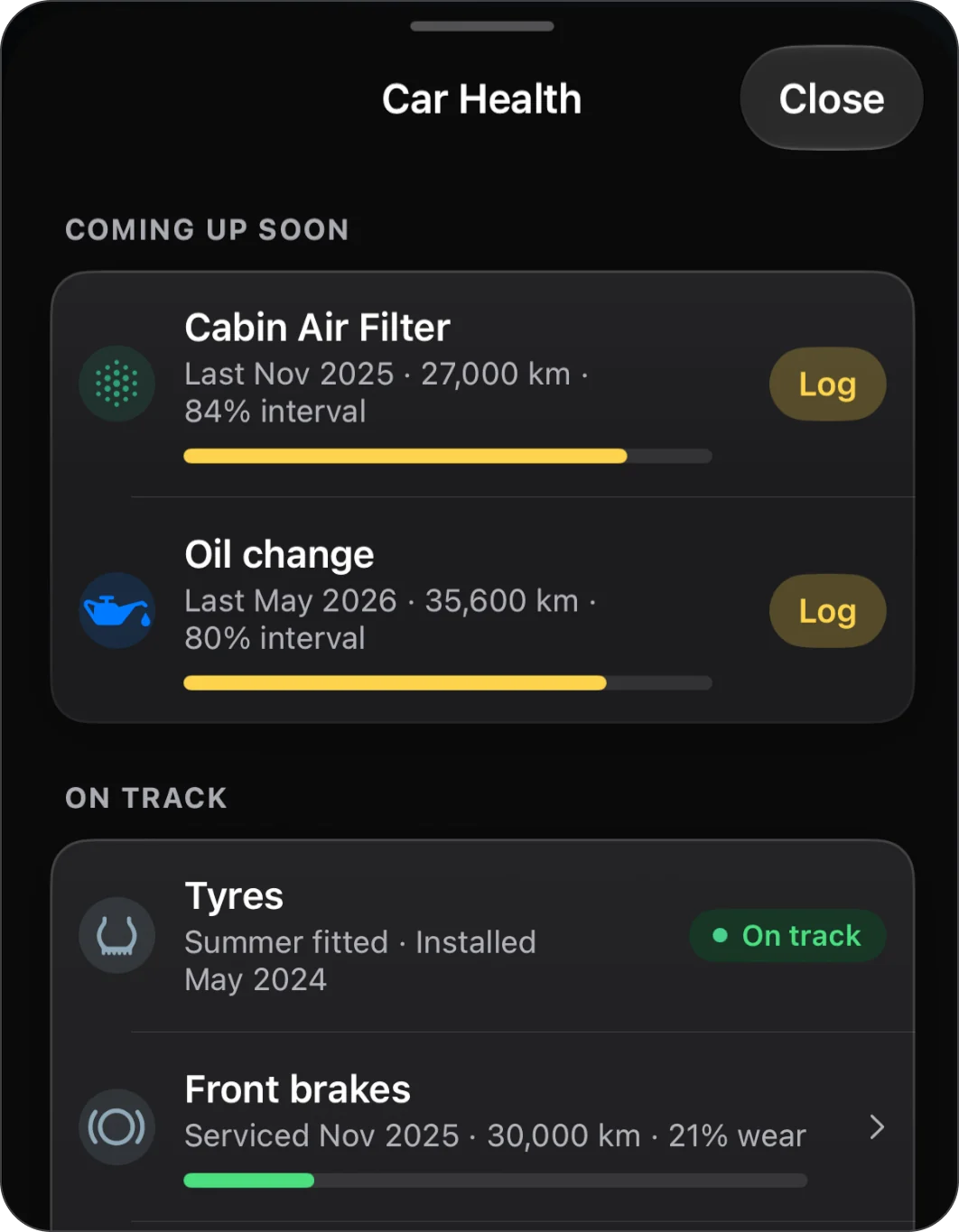
Car Health
Every maintenance item in one view the moment you open the app, sorted by what needs you first.
Reminders that follow your driving
Due dates for oil, filters and brakes move with how much you actually drive, and the wash reminder waits out the rain.
- Oil changeIn about 2,100 km · early NovSoon
- Cabin air filterNovember 2026
- WashSaturday, after the rain
What to watch, and recalls
The problems your model is known for, matched to your car's age and mileage, and open safety recalls in the US and Canada.
- Safety recalls3 openCheck
- What to watch2 in range at your mileage
- BatteryFitted March 2023
One adapter. The car's own numbers.
A small Bluetooth adapter plugs into the port under your dash. At the end of every drive Caliper reads the odometer from the car itself, so your mileage log and your service reminders match the dash to the kilometre. And while you drive, it listens.
- Adapter foundOBDLink CX
- Car answeringIgnition on, engine answering
- Identified your carVIN ends 4X2Z1 · matches this car
Connected to your Golf GTI
- OdometerStandard
- Fuel levelStandard
- BatteryStandard
- Check engineStandard
- Service countdownMake-specific (mapped)
Drive playback, readings and what to buyEverything the adapter reads, and which one to get
- The car's odometer, not an estimate. Every auto-tracked drive ends with a reading from the dash. Lease mileage, service intervals and the tax log stop being estimates.
- Readings on every trip. Fuel level, battery, engine temperature and the check-engine light, read from the car and kept with the drive.
- Set up in a minute. Four steps, a connection test that tells you exactly what your car shares, and nothing is ever written to the car.
Works with any Bluetooth LE OBD2 adapter that speaks ELM327, from about $25 (the ones we've tested are $50 to $80), on any petrol car sold since 2008. The odometer needs a car from 2019 on. What to buy, and what your car shares.
The drive, played back
RPM, speed and throttle, four times a second, drawn as three lanes. Drag a finger along them and the route map follows you to where you floored it.
Readings from your car
Odometer, fuel, battery and engine temperature at the end of the drive, and fuel economy for this drive from the engine's own fuel rate.
From the engine's own fuel rate.
31% of this drive's fuel went to idling.
Check engine light· Off
Car Health, straight from the dash
The check-engine light, a battery trend built from resting voltage, and on Volkswagen group cars the car's own service countdown beside Caliper's reminder.
From the car's service display
Not just the trips. The whole car.
Costs, tyres, renewals and documents live in the same logbook as your trips and your service history, so the record of the car is one record, not five apps.
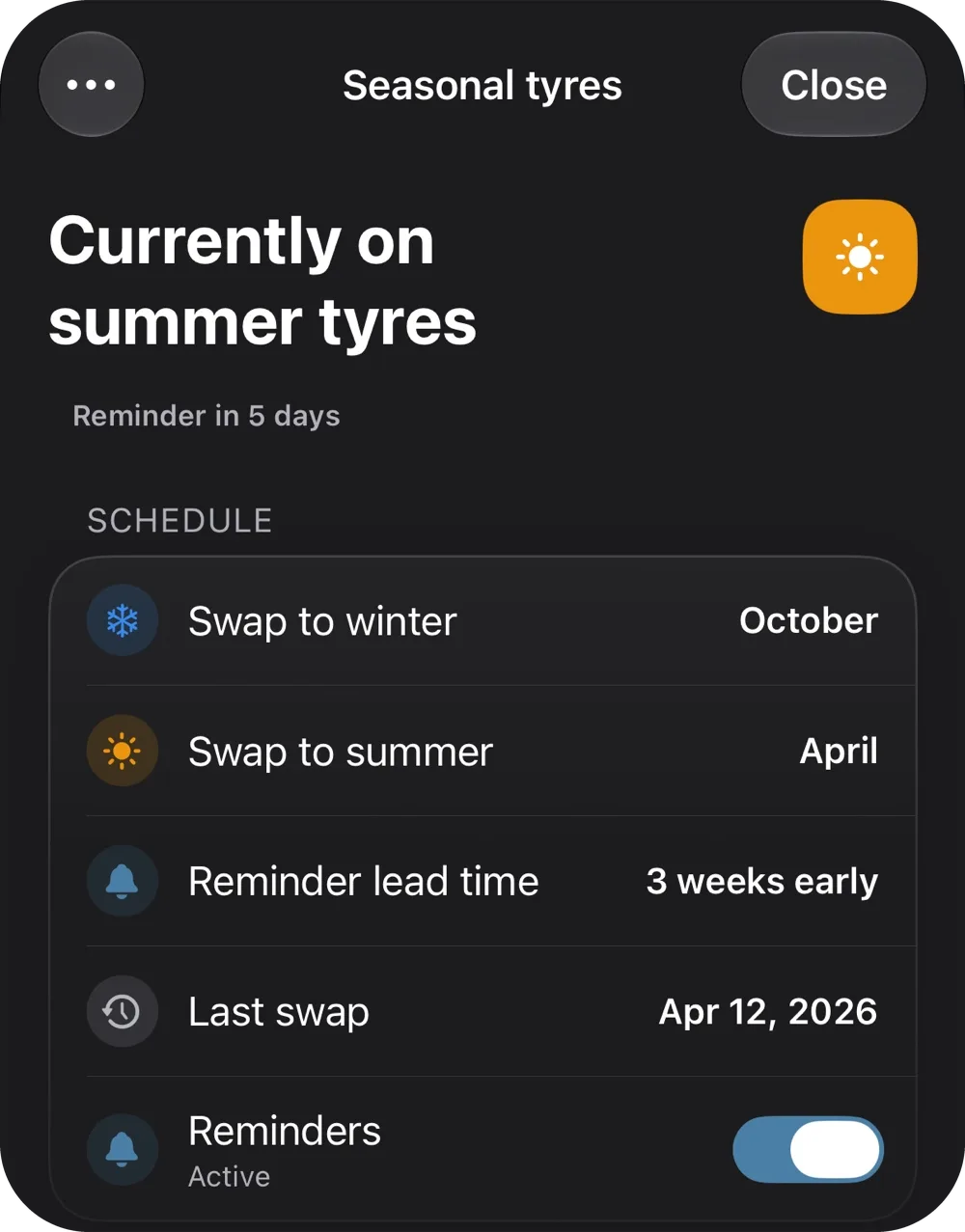
Seasonal tyres
Summer and winter sets, when to swap them, and which provinces and states require winter rubber, with a reminder weeks ahead.
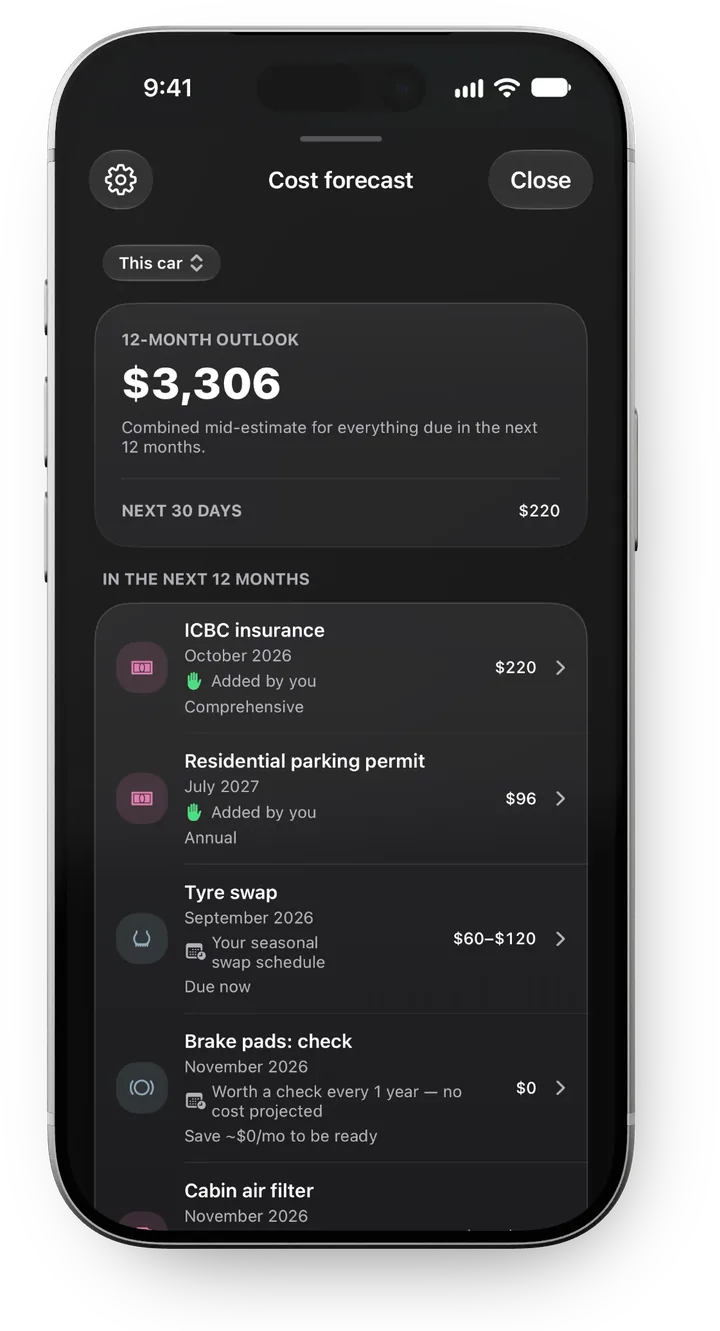
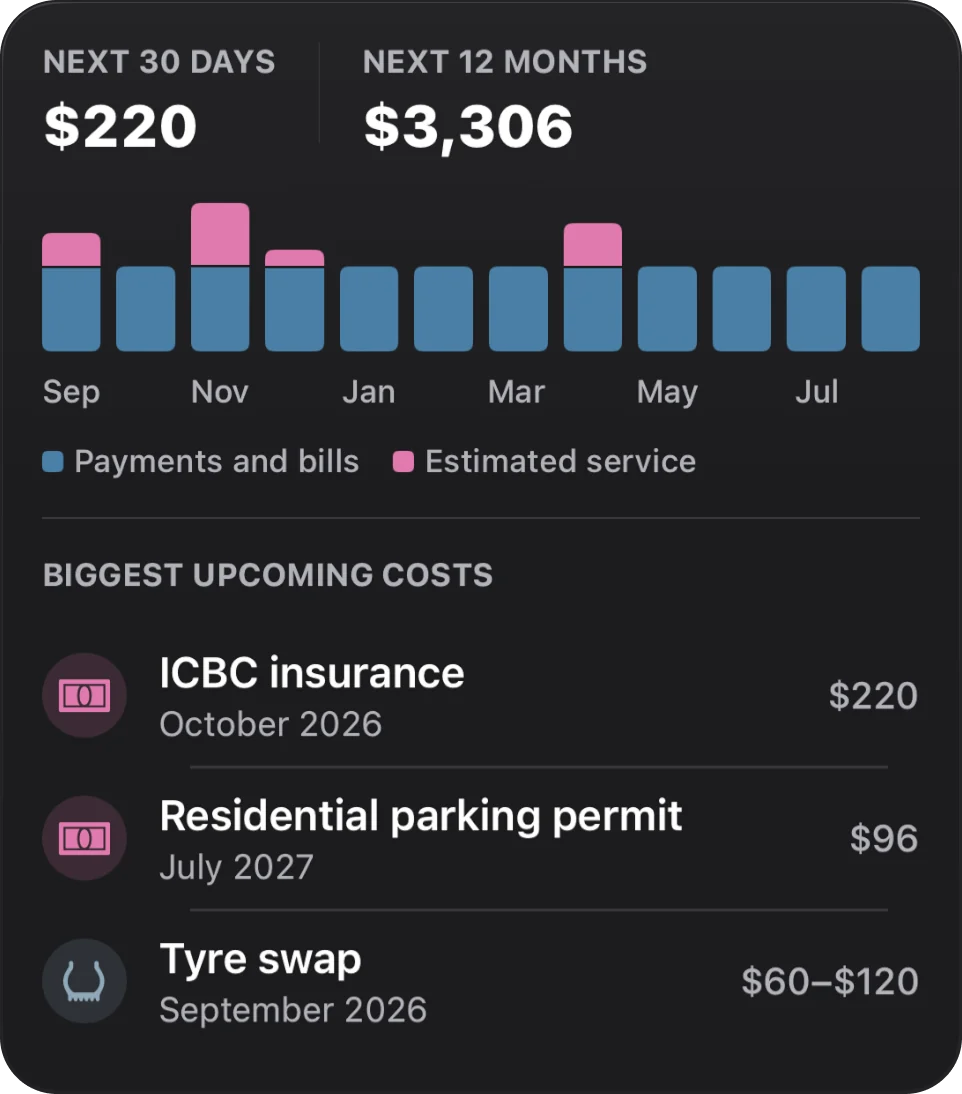
Cost forecast
Service estimates plus your lease, fuel, insurance and registration, totalled for the next twelve months, so you know what to set aside.
And so much moreReceipts, documents, widgets, Siri, recalls and the rest
And so much more.
Four instruments. One odometer.
The same reading, in whichever dash you would rather be looking at. Pick one and the whole app follows it, gauges included.
Your phone. Your icon.
68 takes on the Caliper gauge for your Home Screen, from the seasons and racing colours to Grand Prix circuits and road trips across Europe. Each one follows your Home Screen's light, dark and tinted look.
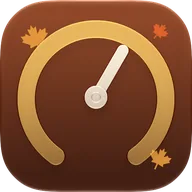
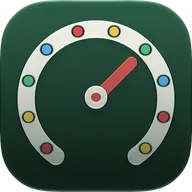
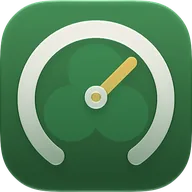
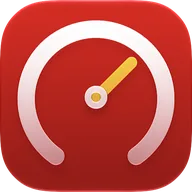
Classic is free. The other eight groups come with Pro. Pick one in Settings › App Icon, or turn on Shuffle icon and Caliper swaps it daily, weekly or each time you open it, from every icon, the groups you choose or your favourites.
Your car. Your plate.
Caliper draws the plate the way the place it is registered draws it — the province wordmark, the country band, the right blue. Twenty of them, or build your own.
Samples. Every plate above reads CALIPER so nobody mistakes one for a real registration.
Free logs it. Pro logs it for you.
The rule is simple. If it's manual, or for one car and one business, it's free. If it's automation, AI, tax-ready output, or more than one car or business, it's Pro.
Both tiers include manual trip logging, trip search, the logbook, Car Health, date reminders, lease and finance tracking, recalls, iCloud sync, PDF and CSV export, on-device receipt scanning, and Car link setup with the first reading from the car. The full list below shows what Pro adds on top.
Every feature, Free and ProThe full list, side by side
Pick how you pay.
Caliper is free to download. Pro is a subscription. Prices are shown in US dollars; the App Store charges in your local currency.
Cancel anytime in Settings.
Best value for daily drivers. New subscribers start with a two-week free trial.
Included with Pro Family Sharing, so up to six people in your Apple Family share one subscription at no extra cost.
Prices shown in USD. Your local price is set by the App Store and may differ. Caliper Pro Monthly auto-renews monthly. Caliper Pro Annual auto-renews yearly. Subscriptions auto-renew unless cancelled at least 24 hours before the end of the current period. Manage in iOS Settings, then your name, then Subscriptions. AI-powered features are included in Pro subject to a reasonable usage limit, which may be adjusted over time. Access to AI features depends on third-party services and may change. By subscribing you agree to the Terms of Use (Apple Standard EULA) and the Privacy Policy.
No account. No ads. Nothing linked to you.
Your logbook is yours. Caliper doesn't ask you to sign up, and it counts people, not what you do. The Pro AI features send only what they need to read, and store none of it. Exactly what we send.
Before you download.
Is Caliper on the App Store?
Yes. Caliper is free to download on the App Store for iPhone.
Which car does a trip go to?
The car whose stereo or CarPlay connected, or failing that, the car that was parked where the trip started. Caliper learns each car's connection the first time you pair it, so a two-car household doesn't need to sort trips by hand.
Does it work in a car without Bluetooth or CarPlay?
Yes. Detection runs on the phone's motion sensors and location, so an older car, a rental or a friend's car is tracked too. Bluetooth and CarPlay make it better, because they tell Caliper which of your cars you're in and put the trip on the head unit, but they aren't required.
What is Car link, and what do I need for it?
Car link reads the car's own numbers through a small Bluetooth OBD2 adapter in the port under your dash. At the end of each drive Caliper reads the odometer from the car, and on Pro it keeps readings from the whole drive. You need any Bluetooth LE (4.0) adapter that says ELM327-compatible, from about $25, or $50 to $80 for the ones we've tested; Wi-Fi and Bluetooth Classic adapters won't work with iPhone. What to buy, and what to avoid.
Will Car link work with my car?
Fuel level, battery, engine temperature and the check-engine light are standard on every petrol car sold in North America since 2008. The odometer became a standard reading in 2019 and is up to the manufacturer, so it works on most cars from 2019 on and few before. The car's own service countdown is Volkswagen group only. The connection test tells you what your car shares before you commit to anything, and Caliper never promises a reading it hasn't seen. The tested-cars list.
Which countries does the mileage log work in?
Every country. Set your car's country in Settings and Caliper exports a mileage log for it. In Canada (CRA), Ireland (Revenue), the United States (IRS), the United Kingdom (HMRC), Australia (ATO) and New Zealand (IRD) the log follows that authority's own record-keeping rules; anywhere else you get the same log in a general format.
Which languages is Caliper in?
English, French, German, Italian, Portuguese, Spanish and Swedish. French comes in Canadian and European versions, Portuguese in Brazilian and European, and Spanish for Spain and Latin America. Arabic, Chinese (Traditional), Irish and Japanese are translated and arrive in a coming update. Caliper follows your iPhone's language; to give Caliper a different one, change it on Caliper's page in the iOS Settings app. Not there? Ask for yours in Caliper, under Settings › Language.
Can my family use Pro?
Yes. Pro comes with Family Sharing: up to six people in your Apple Family share one subscription at no extra cost. A partner or a teenage driver in the same Apple Family gets Pro on their own iPhone, automatic trips and Car link included, with nothing more to buy. Someone outside your Apple Family needs their own subscription.
Is Caliper on iPad and Apple Watch?
Yes, and both are free. On iPad, your garage on the big screen, kept in step over iCloud; your iPhone still records the drives. On Apple Watch, your odometer, next service and last drive at a glance, drives to tag business or personal, a quick log for fill-ups, washes, mileage and notes, and complications for your watch face. Complications and voice logging are Pro, as widgets and Siri logging are on your iPhone. Install it from the Watch app on your iPhone.
Do I need a subscription to use Caliper?
No. Caliper is free for one car and one business, with manual trip logging and the full logbook. Pro adds automatic trip detection, the CarPlay app, tax-ready mileage exports, more cars and businesses, the cost forecast, scanning, and Car link reading from the car after every drive.
Is iCloud required?
No. Caliper stores everything on the device by default. If you turn on iCloud sync, your data moves between your iPhone, iPad and Mac through your own iCloud account.
Can I export everything if I cancel?
Yes. Your logbook, fuel history and mileage records export as PDF and CSV from Settings, at any tier, including after you cancel.
What happens to my data if I delete the app?
With iCloud sync on, your data stays in your iCloud account and returns when you reinstall. With iCloud off, deleting the app deletes the data with it, so export first.
Does Caliper work without an internet connection?
Yes. Trip recording, logging, reminders, the logbook and Car Health all work offline. Sync catches up when you're back online.
Want Caliper on Android?
Caliper is iOS-only today. If you'd use it on Android, leave your email. Enough names on this list and it gets built. One email if it ships, nothing else.
Built for drivers who measure twice.
Designed in Canada. Native iOS. Built by one person.
- Drives
- Replay
- Tax export
- CarPlay
- Service
- Car link
- Whole car
- Make it yours
- Free or Pro
- Pricing
- caliper noun
- cal·i·per |ˈka-lə-pər|
- properly a hinged instrument for measuring what the eye can only estimate
- in a car the clamp that closes on a brake disc
- also this app
Map data © OpenStreetMap contributors